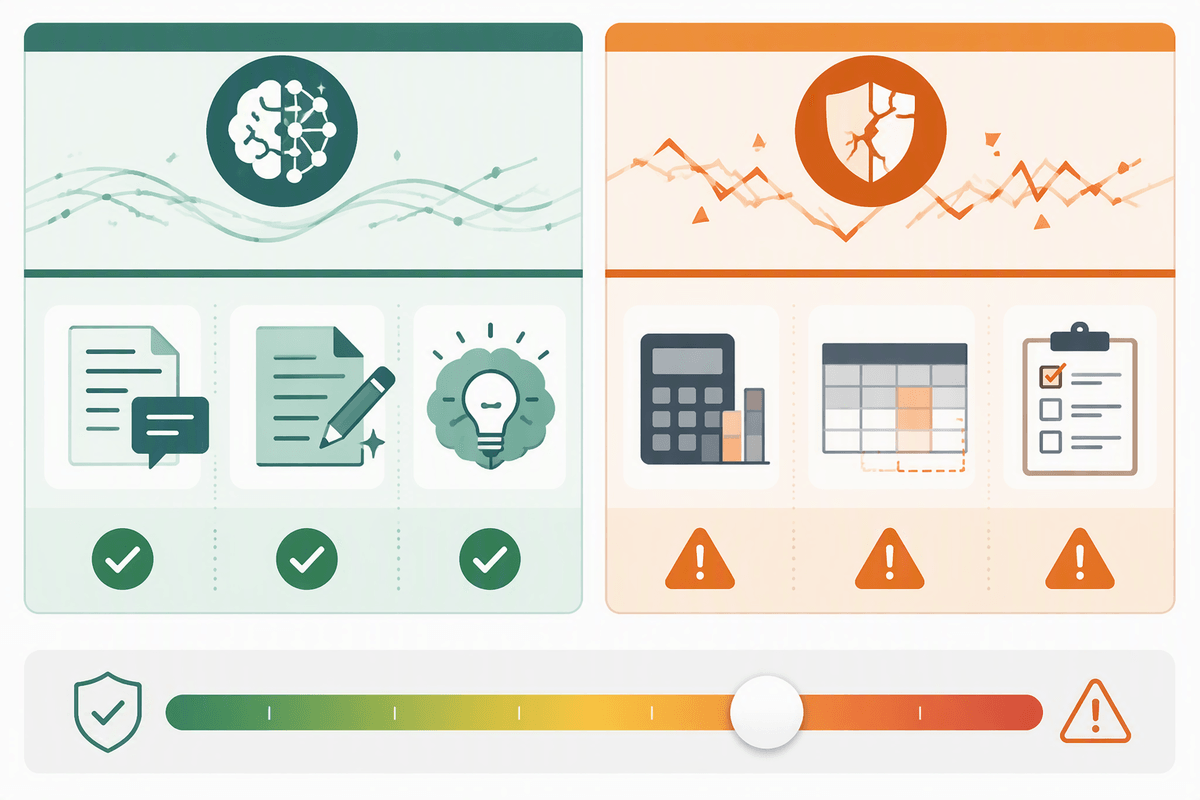
Why “sensitive” questions break normal chatbot expectations
You’ve probably had a chatbot give a crisp, confident answer to a simple question—then watched that same confidence carry over into a situation where being “mostly right” isn’t good enough. Sensitive questions change the standard for success. When the topic involves health, legal exposure, self-harm, abuse, or urgent safety decisions, small misunderstandings about context, timing, or local rules can produce advice that is incomplete or dangerously off-target.
These chats also carry emotional pressure: people ask at their worst moment and want certainty, not options. A chatbot can’t see your full history, verify facts, notice physical cues, or take responsibility for outcomes. Even when it adds a disclaimer, the format can still feel like professional guidance—especially if it uses clinical or legal language—making it easier to over-trust and act too quickly.
The hidden risks: harm, liability, and reputational fallout
A familiar pattern is “it sounded reasonable, so we did it.” In sensitive chats, a wrong step is rarely just an inconvenience. A medication interaction overlooked, a mental health crisis minimized, or a legal deadline missed can create real harm. The risk is amplified by how chatbots present uncertainty: they may offer a single neat plan when the safer answer is “it depends,” or they may fill gaps with plausible details when key facts are missing.
There’s also liability and trust. If a bot is deployed by a school, clinic, or customer support team, users may treat its wording as official guidance, even when it’s framed as informational. Records of the conversation can become evidence in complaints or investigations, and internal teams may discover too late that the bot gave inconsistent answers to similar people. Reputational damage is often faster than any legal process: one screenshot of harmful advice can travel widely and reshape how people judge your entire organization.
Decide what your bot should never answer directly
You’ve likely seen a bot do fine with general information, then drift into “personalized instruction” without realizing it. The safest guardrail is deciding in advance which requests it should never answer directly—especially anything that tells someone what to do right now with real-world consequences. That includes dosing, medication combinations, interpreting symptoms as benign, handling self-harm or violence, instructions for leaving an abusive situation, and legal “should I” guidance tied to deadlines, custody, immigration, or reporting requirements.
Less obvious: the bot should avoid acting as an authority when the user is asking for permission, certainty, or a diagnosis (“Am I having a stroke?”, “Is this normal?”, “Can I sue?”). Even if it adds caveats, the format still reads like a plan. Expect costs: these hard “no-direct-answer” lines can frustrate users and increase handoffs, so you need coverage—clear alternatives, simple triage questions, and a reliable path to human support.
Design the safer response: validate, limit, and guide next steps
Picture someone typing, “I’m panicking—tell me what to do,” and the bot replying like a professional with a numbered plan. A safer response starts by validating the emotion without endorsing a specific action: “That sounds scary, and I’m glad you reached out.” Then it limits what it can responsibly do in plain language (“I can’t assess your symptoms or give dosing instructions”) and asks only a few stabilizing questions that reduce ambiguity (age range, timing, current danger, location/jurisdiction when relevant).
Guidance should point to the next best step that a real person can carry out now. Offer options, not certainty: call local emergency services for immediate danger; contact a clinician, pharmacist, lawyer, or crisis line for time-sensitive decisions; use official resources for rules and deadlines. Every extra question or handoff adds drop-off, so keep triage short, provide one-click contact paths, and avoid long “safety” lectures that people will skip.
When to escalate to humans—and how to make it work

People rarely announce “this is high stakes” in neat terms; it shows up as urgency, uncertainty, and consequences. Escalate when the user is asking for a decision that could cause immediate harm (self-harm, violence, abuse, severe symptoms), when timing matters (deadlines, active dosing, “right now” safety choices), or when the bot would need to verify identity, records, or local rules to be reliable. Also escalate when the user keeps looping—rephrasing the same question, rejecting options, or seeking permission (“Just tell me if I should”)—because that’s often a sign they need accountability and nuance, not more text.
Making escalation work is operational, not just a link. Offer a clear reason in one sentence, then a concrete handoff: “I can connect you to a person now” with hours, expected wait time, and what information will be shared. Keep a short transcript summary the user can edit before sending, and include a fallback if no humans are available (emergency services, crisis lines, official directories). The cost is real: staffing, training, and consistent coverage, especially nights and weekends.
Privacy, consent, and data retention in high-stakes chats
A common trap in high-stakes chats is treating the conversation like a private confessional when it’s actually a data event. People may share diagnoses, medications, immigration status, abuse details, or identifying information because the chat feels one-on-one. If that text is stored, reviewed for “quality,” or used to train systems, you’ve created an additional risk: the harm of exposure, not just the harm of bad advice.
Consent has to be meaningful at the moment it matters. Plainly say what you collect, who can see it, how long it’s kept, and whether it will be used beyond providing help—then give a real choice, including a “don’t store” or “delete this chat” option when feasible. Minimize by default: avoid asking for full names, addresses, or detailed medical histories unless a human handoff truly needs them. The shorter retention and tighter access can make debugging and compliance audits harder, so teams need a deliberate trade-off, not an afterthought.
Test and monitor like it’s a safety-critical feature

A chatbot can look safe in a demo and fail in the messy reality of stress, slang, incomplete details, and repeated follow-up questions. Treat testing like you would for a safety checklist: build a set of “red flag” scenarios (suicidal ideation, overdose, domestic violence, severe symptoms, legal deadlines) and see whether the bot reliably refuses direct instructions, asks only the right clarifying questions, and offers a concrete path to human help.
Use variation on purpose. Change one detail at a time—age, timing (“today” versus “three days”), location, medication names, level of urgency—and check for consistency. Then monitor after launch: sample conversations, track how often users hit refusals, where they abandon the chat, and whether escalations actually connect. The cost is ongoing: reviewers need training, logs need careful access controls, and fixes should be treated like incident response, not copy edits.
A practical path forward: helpful without pretending to be a professional
The moment a chat starts steering toward “tell me exactly what to do,” treat the bot like a map, not a medic or lawyer. It can help you name the problem, list plausible options, and prepare for a real conversation: what symptoms started when, what you’ve already tried, what deadlines apply, what questions to ask next. It should also be able to say, plainly, “I can’t judge this safely,” and point you to a person or official source.
If you’re deploying the bot, aim for a simple operating rule: it can inform and organize, but it shouldn’t diagnose, prescribe, or authorize. That means accepting a real trade-off—more handoffs, higher staffing costs, and some frustrated users—in exchange for fewer moments where confident text becomes a harmful decision.