Why “AI everywhere” feels urgent (and what’s missing)
You can feel the pressure because the story is always the same: competitors “shipping AI,” vendors promising step-change productivity, and employees already using tools on their own. Waiting looks risky, but rushing usually means buying a demo rather than changing how work actually gets done.
What’s missing in most conversations is the adoption lens. A tool that impresses in a meeting can still fail in daily use if it adds review steps, breaks compliance rules, or can’t connect to the systems where decisions happen. The urgency is real, but the right question isn’t “what model?” It’s “what workflow, what users, what measurable outcome—and what will it cost to make this stick?”
Hype sounds like breakthroughs; adoption looks like boring workflow change
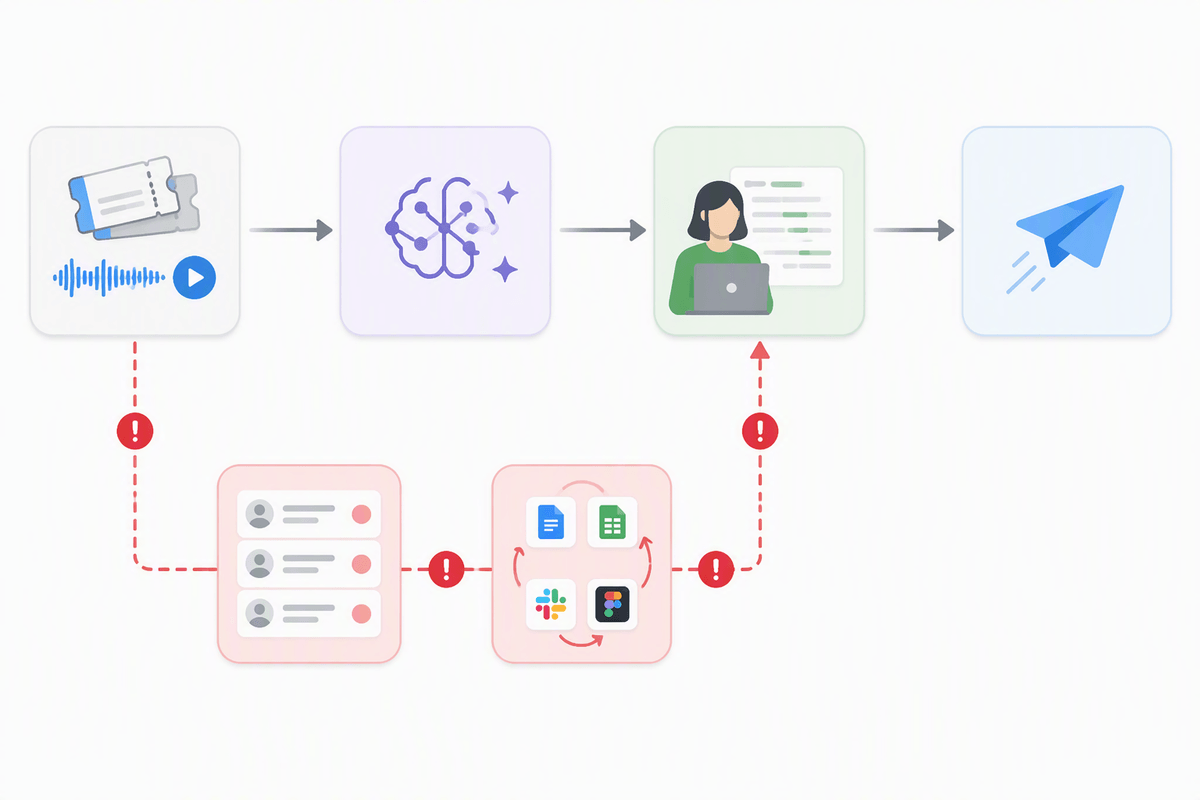
Most AI hype is framed as a capability story: a new model, a new benchmark, a dramatic demo. Adoption, in practice, is a behavior story. It’s whether a support agent actually opens the suggested reply, edits it, and sends it—hundreds of times a week—without creating more exceptions for their manager to clean up. It’s whether a PM trusts an auto-generated summary enough to paste it into a doc, or still does the meeting notes “just in case.”
That’s why the highest-leverage work is usually unglamorous: deciding where AI output enters the workflow, what “good enough” means, and who signs off when it’s wrong. Every added review queue, tool switch, or policy exception taxes the habit you’re trying to build. If the workflow doesn’t get simpler for the user, the breakthrough stays a slide.
The hidden costs between a pilot and daily use
A pilot usually works because the conditions are unusually kind: hand-picked users, fresh attention, a clean dataset, and a human “concierge” quietly fixing prompts, edge cases, and integrations. Daily use removes all of that. The tool has to meet people where they already work, handle messy inputs, and produce output that survives real scrutiny—legal, security, brand, and customers—without turning every task into a review meeting.
The hidden costs show up as operational drag. You pay for data access and permissions, logging, model monitoring, and incident response when the system produces a risky or simply wrong answer. You pay in process design: defining fallback paths, escalation rules, and what gets stored (or must not be stored). You also pay in change management: training, docs, and the slow work of getting managers to enforce a new standard of “done.” If those costs exceed the time saved per task, the pilot never becomes habit.
What real-world adoption evidence actually looks like
You can usually tell what’s real by looking for behavior that persists without a concierge. Start with usage that maps to a specific job: weekly active users in the target role, the share of eligible tasks that actually go through the AI step, and whether that rate holds after the first two weeks. Then look for “stickiness” signals: repeat use by the same people, fewer manual workarounds, and outputs that survive downstream checks (QA, legal, billing) without extra cycles.
ROI evidence is similarly plain. Measure cycle time and rework, not “hours saved” surveys. Track exception rates (how often humans override or reject), time-to-approve, and the cost of controls: review bandwidth, incident handling, and prompt or policy maintenance. A reliable win looks like a stable, auditable workflow where the tool reduces total touches per task—even if individual outputs aren’t perfect—because the organization can predict, manage, and price the remaining risk.
Where AI reliably pays off first (and where it disappoints)

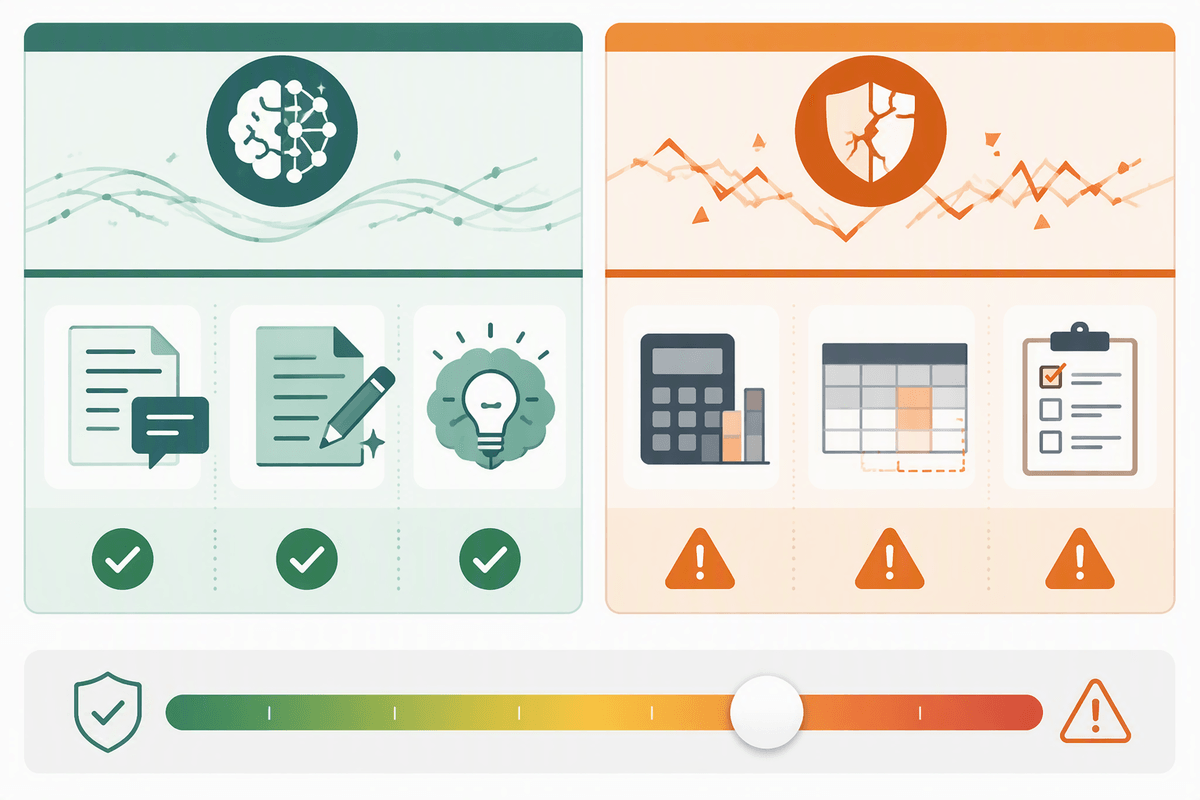
In most organizations, the earliest payoffs come from narrow, repeatable work where “better than blank” is valuable and the blast radius is small. Drafting first-pass customer replies, turning calls into structured notes, classifying and routing tickets, extracting fields from messy documents, and generating internal summaries tend to stick because they reduce typing and context switching without asking users to change judgment. These wins also have clear measurement: fewer touches per case, faster time-to-first-response, higher deflection, or shorter close cycles.
AI disappoints when the task is ambiguous, politically sensitive, or requires high-stakes correctness end to end—pricing, legal commitments, performance reviews, major architectural decisions. It also struggles when the “work” is really negotiation across teams; a model can draft, but it can’t resolve ownership. The highest-ROI spots often need integration and permissions work first, and that plumbing can cost more than a quarter’s worth of model fees.
Choosing tools: vendor promises vs fit to your constraints
You’ll recognize the tool decision moment: two products look similar in a demo, both claim “enterprise-ready,” and the sales conversation steers you toward model quality. In practice, the differentiator is whether the tool fits your constraints without adding a second job. Start with where the work already happens (Zendesk, email, CRM, IDE, docs) and ask what steps will be removed, not added. If users have to copy/paste, re-authenticate, or learn a new interface, adoption will depend on heroic champions.
Use vendor promises as hypotheses, then pressure-test the boring parts: permissioning (least privilege, role-based access), data retention and logging, audit trails, and how errors are handled. Demand evidence of controls: human-in-the-loop routing, safe fallback paths, and admin visibility into usage and exceptions. Also price the integration tax—SSO, connectors, policy setup, and ongoing prompt/knowledge maintenance—because that ongoing labor often costs more than the license once the pilot ends.
A simple adoption-first plan you can run this quarter
Pick one workflow with clear volume and a measurable “done” state, then define the smallest AI step that removes effort without changing judgment. Examples: first-draft replies for Tier-1 support, call-to-CRM notes, or ticket routing. Write the operating rules up front: what inputs it can use, what it must not store, when humans must edit, and what happens when confidence is low. Build it where users already work, even if the first version is simple.
Run a four-week release, not a lab pilot: ship to one team, instrument everything, and review weekly. Track (1) share of eligible tasks that used the AI step, (2) repeat use by the same people, (3) override/reject rate, (4) downstream rework (QA/legal/billing), and (5) cycle time per task. Budget for the real costs—SSO, permissions, logging, and a part-time “workflow owner” to fix edge cases—then expand only when those metrics stabilize without concierge help.
Conclusion: bet on learning loops, not headline velocity
You don’t win by matching the pace of headlines; you win by building a loop that turns use into better use. Treat every vendor claim as a testable assumption, then let behavior decide: does the tool get opened in the real workflow, does usage hold after week two, and does it reduce total touches per task once review and exceptions are counted?
The practical move is to keep the scope small, the instrumentation strong, and the ownership explicit. You’ll ship fewer “wow” demos, and you’ll pay real costs for integration, logging, and training. In return, you get something rarer: a repeatable way to add AI safely, measureably, and on purpose.