Why reliability still breaks: hallucinations and brittle reasoning
You’ve probably seen it: a model answers instantly, sounds precise, and is still wrong. Reliability breaks because the system isn’t “checking a database of truths” so much as generating the most likely continuation of your prompt based on patterns it learned. That makes it fluent at producing plausible explanations, even when the right move is to say “I don’t know.” When the prompt is underspecified, the model can fill gaps with invented details that fit the style of an answer.
Brittle reasoning shows up when a task needs careful multi-step logic, bookkeeping, or consistent rules across edge cases. A small slip early on can cascade, and you may not notice because the language remains confident. Tight constraints help, but they add cost: more engineering, slower responses, and sometimes less helpful outputs when the model is forced to stay inside narrow rails.
Hallucinations in practice: when confident answers are ungrounded

A familiar pattern in product reviews is the “looks sourced” answer that isn’t. Ask for a market-size figure, a legal requirement, or “the latest” policy change, and the model may produce a crisp number, a plausible citation, and even a confident date—none of which exist. This is especially common when users request specifics the model can’t verify inside the chat (pricing tiers, release notes, local regulations, incident timelines) and the prompt doesn’t require evidence. The failure mode isn’t random nonsense; it’s a coherent story assembled from fragments that often resemble real facts.
Hallucinations also appear as invented details about your own context: assumptions about your stack, your data, or what “normal” means for your industry. In a workflow, that can quietly contaminate downstream steps: a fabricated constraint becomes a bogus design decision, or a made-up dependency becomes a wasted sprint. The practical catch is that insisting on citations, retrieval, or human checks adds latency, integration work, and ongoing maintenance.
Reasoning limits you actually notice: multi-step tasks and edge cases
You notice reasoning limits most when the output has to stay consistent across several steps. A model can write a clean plan, then contradict it in step five, or “forget” a constraint you stated at the top when it generates the final answer. In product terms, this shows up in things like support triage (“if A and B, escalate; unless C”), eligibility logic, configuration wizards, and anything that mixes rules with free-form text. The language stays smooth, so the only visible signal is subtle drift: numbers don’t reconcile, categories overlap, or a later paragraph quietly changes the definition of a term.
Edge cases are where the brittleness becomes obvious. The model handles the common path, then fails on “almost the same” inputs: a refund request with two payment methods, a contract clause with an exception nested inside another exception, a schedule that crosses time zones. The hard part is cost: catching these requires more test coverage, more structured inputs, and often a narrower interface than stakeholders want.
When does it matter? Mapping model risk to your use case
Risk becomes visible when the model’s output crosses from “helpful draft” into “decision input.” If the worst case is a slightly off tone in a customer email, you can tolerate occasional errors and rely on quick human editing. If the output can change money, access, or safety—refund eligibility, medical advice copy, security guidance, loan pre-qualification, compliance claims—the same error rate becomes unacceptable because a single confident mistake can cause real harm or create liability.
A practical way to map risk is to ask two questions: how costly is a wrong answer, and how easy is it to verify before it’s acted on? Low-cost, easy-to-check tasks (summaries of internal docs with links, brainstorming UI copy, generating test cases) can be “assistive by default.” High-cost, hard-to-check tasks (interpreting regulations, estimating “latest” numbers, diagnosing incidents from partial logs) need tighter constraints, explicit evidence, or a human gate—even if that slows the experience and increases operational overhead.
Mitigation options: retrieval, tools, and guardrails—and their tradeoffs
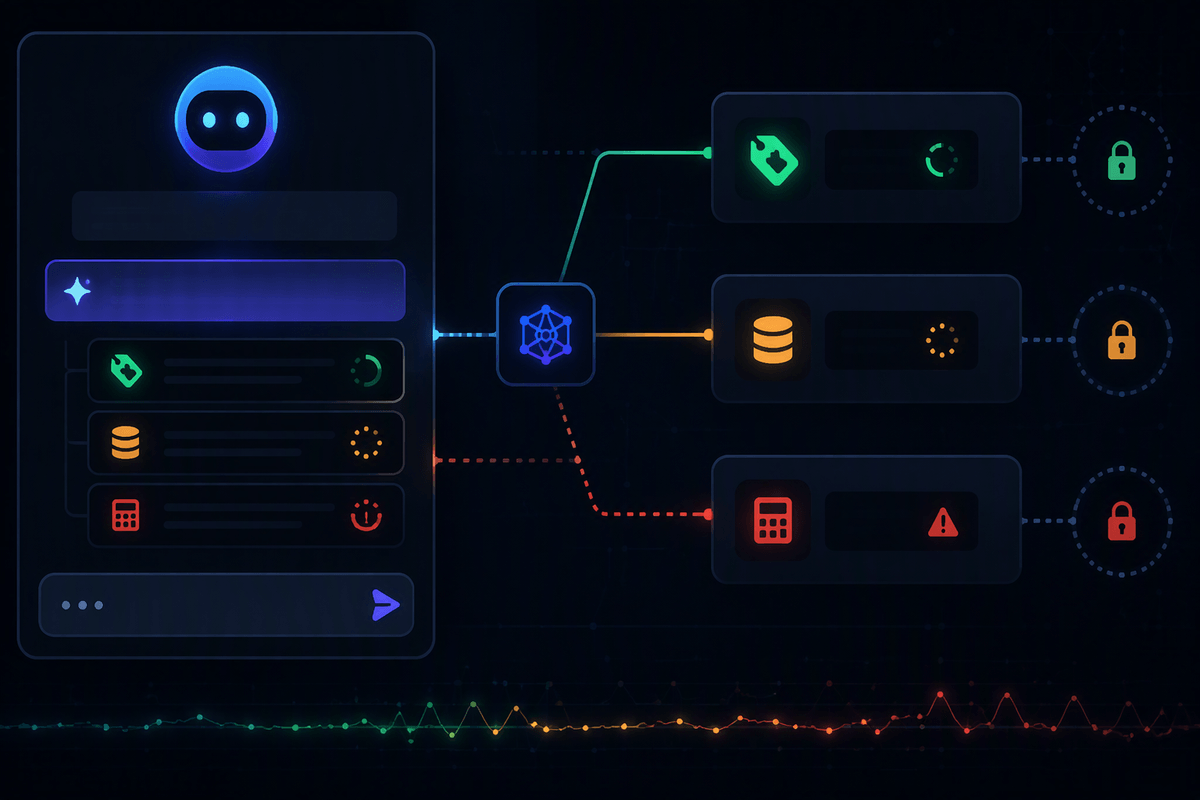
A common product moment is watching a model “sound right” while you can’t tell where the facts came from. Retrieval helps by forcing answers to lean on your own sources (docs, tickets, policies) and by returning the snippets alongside the response. You need indexing, access controls, freshness workflows, and you still have to handle cases where retrieval finds nothing or finds conflicting passages. Poorly tuned retrieval can also make the model overfit to irrelevant snippets and get more wrong, not less.
Tools go a step further: instead of guessing a refund status or today’s price, the model calls an API, runs a query, or validates a calculation. This usually improves correctness on “checkable” tasks, but it adds latency, failure modes (timeouts, partial data, rate limits), and security work around permissions and prompt injection. Guardrails—structured outputs, constrained choices, refusal rules, and confidence cues—reduce free-form inventing, yet they can make the system feel less flexible and push users into workaround prompts. In practice, reliability comes from layering mitigations and deciding where you’ll pay: engineering effort, slower UX, or narrower scope.
How to measure reliability: tests that catch “sounds right” failures
The familiar failure is the “polished but wrong” answer that slips past casual review. Measuring reliability means designing tests where fluency doesn’t help. Start with a small, living set of real prompts from your product—especially ones tied to decisions (eligibility, policy interpretation, troubleshooting) and ones that previously caused confusion. For each, define what “correct” means in a way you can score: required fields present, numbers reconcile, citations point to allowed sources, and the final recommendation matches a known resolution.
Then add adversarial coverage that mirrors how users actually break systems: underspecified requests (“latest pricing”), conflicting instructions, edge-case combinations, and “almost the same” variants that should yield consistent results. Track not just accuracy, but overconfidence: rate answers that should have refused, should have asked a clarifying question, or should have escalated. The practical constraint is cost—building golden datasets, maintaining expected outputs as policies change, and running evaluations on every prompt/model change takes ongoing time and ownership, not a one-off QA sprint.
Deploying responsibly: monitoring, escalation paths, and user experience cues
A common deployment surprise is that a model looks “good enough” in staging, then drifts in production because inputs shift: new product names, new policies, new user phrasing, new edge cases. Treat that as an operational problem, not a one-time model choice. Log prompts and outputs with privacy controls, sample for review, and track a few leading indicators: refusal rate, “asked for evidence” rate, tool-call failure rate, and complaint-driven clusters. You’ll also want versioning (model, prompt, retrieval index) so you can reproduce a bad answer and roll back quickly.
Escalation should be a designed path, not an apology. For high-impact flows, route low-confidence or unsupported answers to a human queue, or force the model to ask a clarifying question before it proceeds. In the UI, small cues reduce misuse: show sources when available, label drafts as drafts, and make uncertainty explicit (“based on these documents…”, “couldn’t verify”). The constraint is real: monitoring, reviews, and on-call ownership add ongoing cost, and latency from gating can change adoption.
A practical stance: treat models as probabilistic components, not oracles
You wouldn’t ship an unbounded random-number generator into billing, but it’s easy to treat a fluent model that way when demos go well. A more useful stance is to treat it like any other probabilistic component: helpful for ranking, drafting, and summarizing, but requiring checks when an output becomes a decision or a claim. Design the product so “I can’t verify that” is an acceptable outcome, not a failure state.
Make verification a first-class feature: sources, tool calls, structured outputs, and human review where the cost of being wrong is high. You’ll pay somewhere—latency, narrower scope, more engineering, more ops—so choose deliberately, and set stakeholder expectations around error budgets rather than “trust.”