Why “good enough” performance suddenly feels outdated
A familiar pattern plays out after every major model release: the demo looks cleaner, the answers feel more confident, and yesterday’s “solid” system suddenly reads as clunky. Part of that is real capability—better reasoning, fewer obvious errors, improved instruction-following—but a big part is expectations moving faster than your product roadmap. Stakeholders start comparing your output to the newest public benchmarks or viral examples, even when those examples don’t match your users’ inputs, constraints, or risk tolerance.
“Good enough” also erodes because users are now exposed to higher-quality AI in everyday tools, so they notice small failures: a wrong date, an awkward tone, a refusal at the wrong moment. Fixing those gaps isn’t free. The models that look better often cost more per call, run slower, or require more careful safety and prompt work to stay consistent in production.
Which use cases actually need the new performance bar

Picture two teams reacting to the same flashy release. One runs an internal knowledge assistant that drafts meeting notes and summarizes long docs; the other relies on a model to generate customer-facing guidance where a single wrong step triggers refunds, regulatory exposure, or real user harm. Both want “better,” but only the second team truly needs the higher bar—because quality failures have a direct, measurable cost that dwarfs a higher per-call price.
The use cases that justify upgrading first tend to share a few traits: long, multi-step tasks where errors compound (claims intake, troubleshooting workflows, data-to-decision analysis), tight tolerance for hallucinations (legal, medical, finance, policy), and heavy personalization where tone mistakes feel like brand damage. If your workload is short-form rewriting, tagging, lightweight Q&A over well-curated content, or internal brainstorming, you often get more ROI from better retrieval, guardrails, and UX than from swapping models. The higher-tier models can add latency and unpredictability under load, so you’re buying not just quality, but operational complexity.
Stop comparing model scores without matching your real workload
A common mistake is treating a benchmark score like a guarantee. Most published results assume tidy prompts, generous context windows, and a single “final answer” graded in isolation. Your product almost never looks like that. Real traffic includes messy user messages, partial context, edge cases, and follow-up turns where the model has to stay consistent. A model that wins on a reasoning leaderboard can still stumble on your short, highly structured forms—or do fine on single-turn Q&A but drift in a 12-turn support chat.
Match comparisons to your workload: the same languages, document types, and failure modes your users produce, with the same tools enabled (retrieval, function calling, safety filters) and the same latency budget. If you can’t replay representative conversations, you’re comparing proxies, not outcomes. The practical constraint is cost: building a realistic test set and running it across models takes time, labeling effort, and enough volume to avoid being fooled by a handful of impressive examples.
Performance isn’t one thing: accuracy, reliability, and style

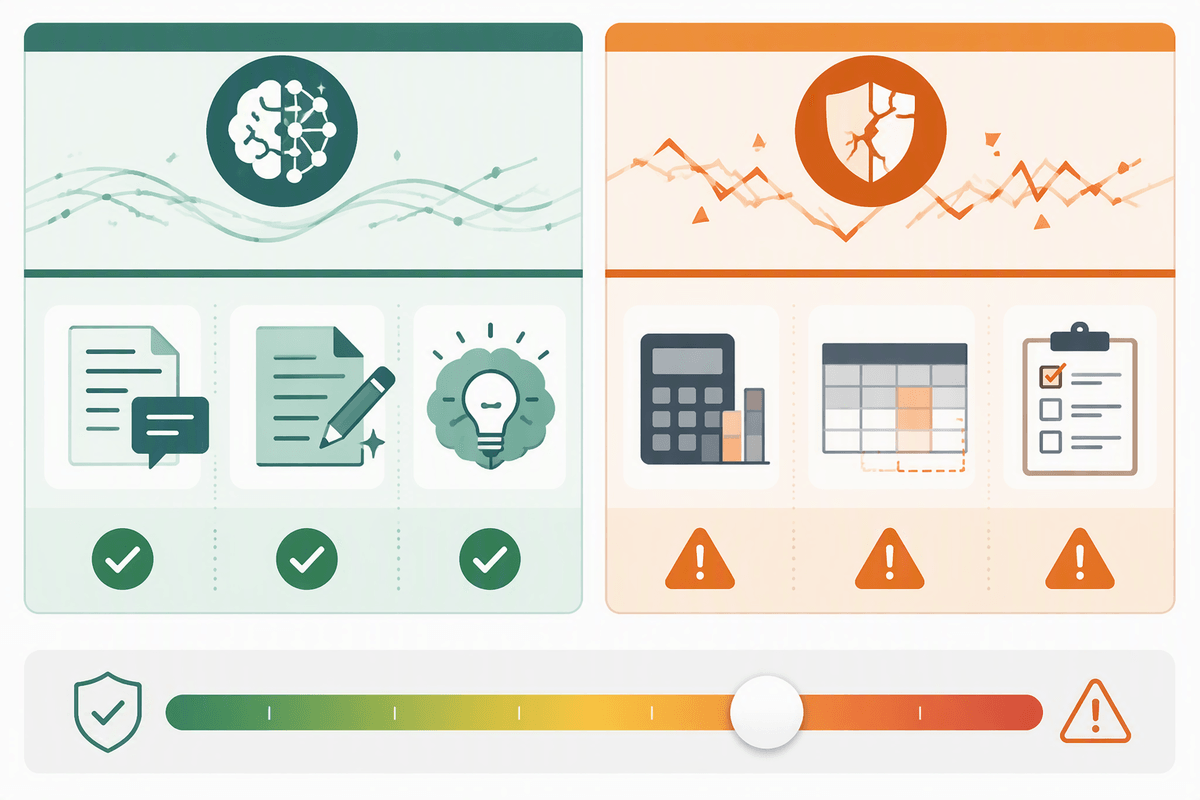
When people say a model is “better,” they often mean three different things. Accuracy is whether the content is correct and complete for the task: does it cite the right policy clause, follow the right troubleshooting step, extract the right fields. Reliability is whether it does that consistently across messy inputs, retries, and long conversations—without sudden drift, tool-call failures, or confident contradictions. Style is whether the answer lands: concise vs thorough, direct vs warm, on-brand voice, and the ability to hold that tone even when refusing or asking clarifying questions.
A model can sound polished while being subtly wrong, or be accurate but brittle under load, or be reliable but too rigid to feel helpful. Measuring only one invites surprises in production, because stakeholders tend to notice reliability and style failures faster than a small accuracy lift. The constraint is practical: improving reliability and style usually means more prompt work, more test cases, and more human review time—not just swapping the model.
The hidden costs of chasing top-tier models
The temptation is to treat an upgrade as a simple “swap the endpoint” decision, then bank the headline quality lift. In practice, top-tier models often force changes everywhere else: higher per-call spend, more tokens consumed because the model is more verbose, and higher latency that shifts UX choices (streaming, caching, fallback paths). Under real traffic, you may also need larger rate limits, more aggressive batching, or parallel tool calls just to keep response times stable, which raises infrastructure and monitoring costs.
Better raw capability can widen the range of outputs, which means new failure modes to test: confident but wrong answers in niche domains, tone drift in edge cases, or tool-use that’s “usually right” but catastrophic when it isn’t. Teams end up paying in evaluation time, safety reviews, prompt iteration, and customer support playbooks. If you can’t quantify what those hours replace—fewer escalations, faster resolution, higher conversion—the upgrade can look like progress while quietly draining attention from higher-ROI fixes.
How to run an evaluation that survives stakeholder scrutiny
You can feel the difference between a model that “looked great in a demo” and one that holds up in production the moment you replay real conversations. Start by collecting a small but representative slice of traffic: the top intents, the longest threads, the ugliest inputs, and the edge cases that trigger escalations. Freeze the full setup—retrieval settings, tools/function calling, safety filters, system prompt, temperature, and latency budget—so the only variable is the model. If stakeholders will challenge the results, log every input, output, and tool call so you can reproduce disagreements instead of debating anecdotes.
Use a scorecard that matches how your business experiences failure. Accuracy can be judged with task-specific checks (field extraction correctness, policy compliance, citation support), reliability with run-to-run variance and “did it finish the workflow,” and style with simple rubrics tied to brand voice. Don’t rely on a single average: report tails (worst 5–10%), critical-severity error rates, and “cannot happen” failures separately. The practical cost is labeling—plan for multiple reviewers, clear guidelines, and time to resolve disagreements, or your numbers won’t be trusted when the decision gets expensive.
Setting expectations: what to promise, measure, and revisit
The hardest expectation to manage is the “it’s smarter now, so it will just work” assumption. Promise outcomes, not model labels: reduced escalation rate, faster time-to-resolution, higher form-completion, fewer policy-violating replies. Tie each promise to a measurable definition (what counts as an escalation, what qualifies as “correct,” what tone failures trigger rewrites) and a guardrail metric that can veto rollout, like critical-error rate or unsafe refusal patterns.
Plan for drift and surprises. Re-test on a fixed set monthly, and on a small sample of fresh traffic weekly, because user behavior changes and prompts get tweaked. Budget for rollback paths, model fallbacks, and time to update playbooks when reliability or style shifts under load.