Why “keeping up with tools” feels like a losing game
You open your feed and see three “must-try” AI apps before lunch, each promising to change how you write, plan, teach, or analyze. By the time you test one, the interface has changed, a new model has launched, and coworkers are trading shortcuts you haven’t heard of. That churn makes it feel like competence equals novelty: knowing the newest name, the newest button, the newest workflow.
The problem is that tools compete on packaging, not on whether they reliably solve your specific task. Most sit on similar underlying models, so the surface changes faster than the fundamentals. Meanwhile, learning each new tool has real costs—setup time, data cleanup, prompt rewrites, and the risk of building habits around features that disappear. The result is constant motion with little lasting confidence.
AI literacy: what it is when you’re not a researcher
You’ve probably noticed that two people can use the same AI tool and get wildly different results. One gets a usable draft or a clear plan; the other gets something confident-sounding but wrong. The difference usually isn’t secret features. It’s practical AI literacy: knowing, at a high level, what these systems do (predict likely text from patterns), what they don’t do (verify facts, understand context like a person), and how your instructions and examples shape the output.
For a knowledge worker, literacy looks like a small set of repeatable habits: describe the task and audience, provide relevant inputs, ask for assumptions and sources, and check the result against your own standards. It also means knowing the boundary conditions—where errors are costly, where bias can creep in, and when a “good enough” answer still needs human review before it goes to a client, a classroom, or a decision.
The hidden costs of chasing every new AI tool
The “stack” mentality is easy to fall into: one chatbot for writing, another for meeting notes, a slide plugin, a separate research app, and a browser sidebar meant to connect everything. Subscription fees are only part of the cost. Every new tool brings another interface to learn, another workflow to remember, and another source of small disruptions, from login and permission issues to formatting quirks and integrations that stop working after an update.
A growing stack also fragments the work itself. Notes sit in one system, drafts in another, and source material somewhere else, making review and reuse more cumbersome. The problem becomes more pronounced in teams, where one person’s convenient shortcut may create compatibility issues for everyone else. Even a genuinely useful tool carries a longer-term cost when pricing changes, an important feature moves behind a paywall, or the product disappears altogether. The time spent retraining and rebuilding workflows rarely appears on the original software bill, but it still counts toward the real cost of tool sprawl.
Skills that travel: prompts, evaluation, and judgment
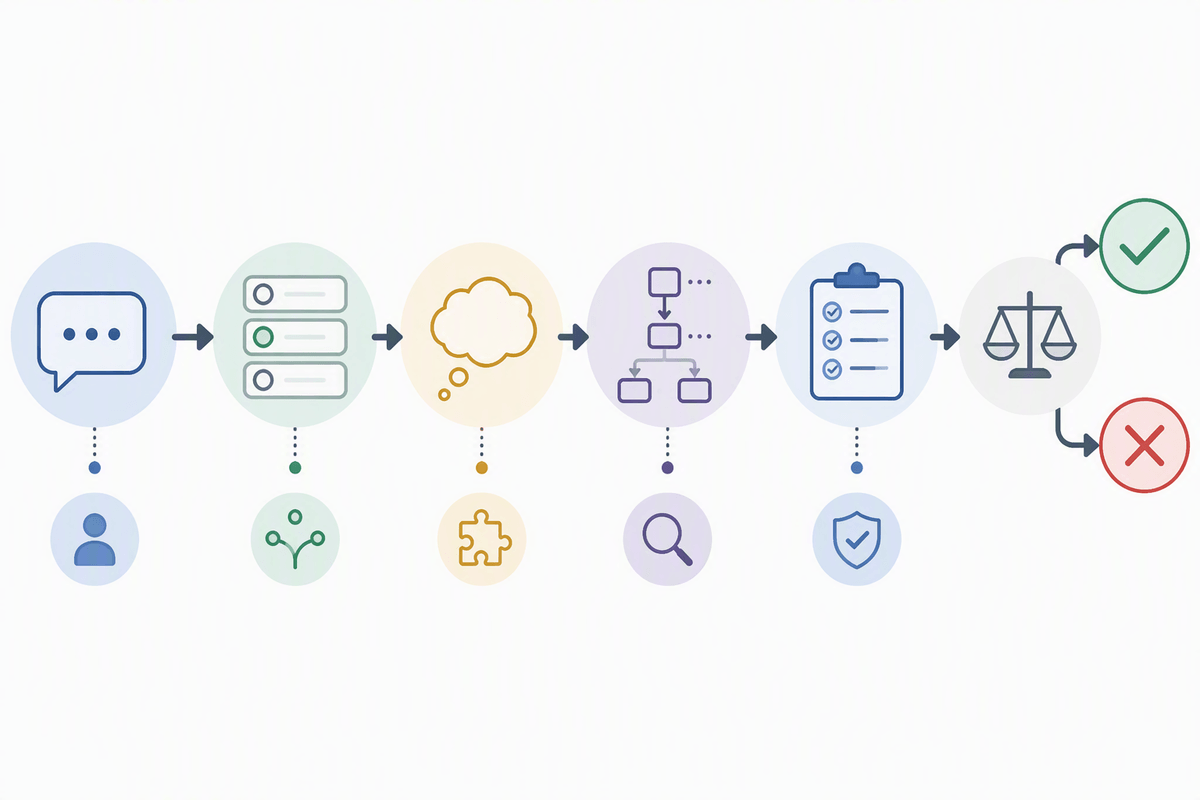
You don’t need a new app to get better results; you need a portable way of talking to these systems. A strong prompt is less about clever wording and more about supplying what a colleague would ask for: the goal, the audience, the constraints, the inputs to use, and the format you can actually work with. When the output matters, ask for two options, ask it to list assumptions, and ask it to show its reasoning steps in a way you can audit (not just a final answer).
Evaluation is the skill that makes AI useful instead of risky. Treat outputs like a first draft: check claims against your sources, spot missing edge cases, and test with one or two adversarial examples (“What would make this wrong?”). This takes time, which is a real cost; if you can’t afford review, you can’t afford to use the result.
Judgment is choosing when to use AI at all. Low-stakes drafting and brainstorming are different from policy, grading, legal language, or anything that could harm trust if it’s wrong.
Understanding limits: errors, bias, and when AI misleads
You’ve seen the failure mode: the answer looks polished, cites plausible details, and still doesn’t match reality. That happens because the model is rewarded for producing a coherent continuation, not for being correct. It will fill gaps, smooth over uncertainty, and sometimes invent references or numbers that “fit,” especially when you ask for specificity and don’t provide source material.
Bias shows up the same way—quietly, through defaults. If you ask for “a typical customer,” you may get a stereotype; if you ask for “best practices,” you may get whatever was most common in the training data, not what’s best for your context. This is why high-stakes work needs friction: require citations you can verify, compare the output to a known-good example, and run a second pass that searches for omissions and harms. It adds time, but it’s cheaper than confidently shipping the wrong thing.
Real-world constraints: privacy, IP, and workplace policies

Being comfortable with AI does not necessarily mean being free to use it however you want. Pasting client notes, student records, source code, or unreleased plans into a public chatbot is a data-handling decision as much as a productivity decision. Many organizations treat this as a policy concern because confidential information may be exposed, compliance obligations may be triggered, or access to the material may become difficult to track later. Even a setting that disables model training does not answer the questions that matter most: where the data is processed, who has access to it, and how long it remains stored.
Intellectual property introduces a separate set of constraints. Work intended for publication, grading, filing, or commercial use may require clear rules around originality and attribution, and some organizations prohibit AI-generated text or images altogether. Those requirements can slow the workflow through input redaction, approved-tool restrictions, and the need to document sources and editorial changes. Keeping that record may feel like extra administration, but it provides a defensible trail when questions arise about how the final work was produced.
Choosing tools with a literacy-first approach
You’ve probably watched someone pick a tool because it’s trending, then force every task through it to “get their money’s worth.” A literacy-first choice starts with the job: what input you have (messy notes, PDFs, spreadsheets), what output you need (a client-ready memo, a rubric, a slide outline), and how much verification the work requires. If the task is high-stakes, prioritize tools that make review easier—version history, citations you can trace, and the ability to keep sensitive data inside approved systems.
It also helps to prefer fewer, flexible tools over a brittle stack. A general assistant plus one or two specialist tools (for transcription, coding, or search) is usually easier to maintain than five overlapping apps. The constraint is real: good governance takes time. You may need procurement approval, security review, and team training, and the “best” tool on paper can still be wrong if it doesn’t fit your workflow or policy.
A practical path: build literacy, then add tools on purpose
On a typical week, you’ll face the same few jobs: turn rough inputs into a draft, extract decisions from meetings, summarize sources, and sanity-check claims. Start by standardizing how you do those jobs without switching apps: a prompt template you reuse, a short checklist for verification, and a rule for what never goes into a public tool. Make “review time” part of the estimate, because if you can’t check it, you shouldn’t ship it.
Then add tools only when they remove a specific bottleneck you can name: faster ingestion of PDFs, better citation tracing, secure handling of internal data. Pilot one tool for two weeks, measure time saved versus review burden, and document a default workflow the whole team can follow.